

Why Understanding Your Camera Settings Matters
Think of your camera as a musical instrument — the more you know how to play it, the better the music. Understanding camera settings gives you control over exposure, motion, color, and the final feel of your image. Instead of reacting to problems in editing, you’ll create what you want in-camera and spend less time correcting mistakes later.
The First Step: Know Your Camera Inside Out
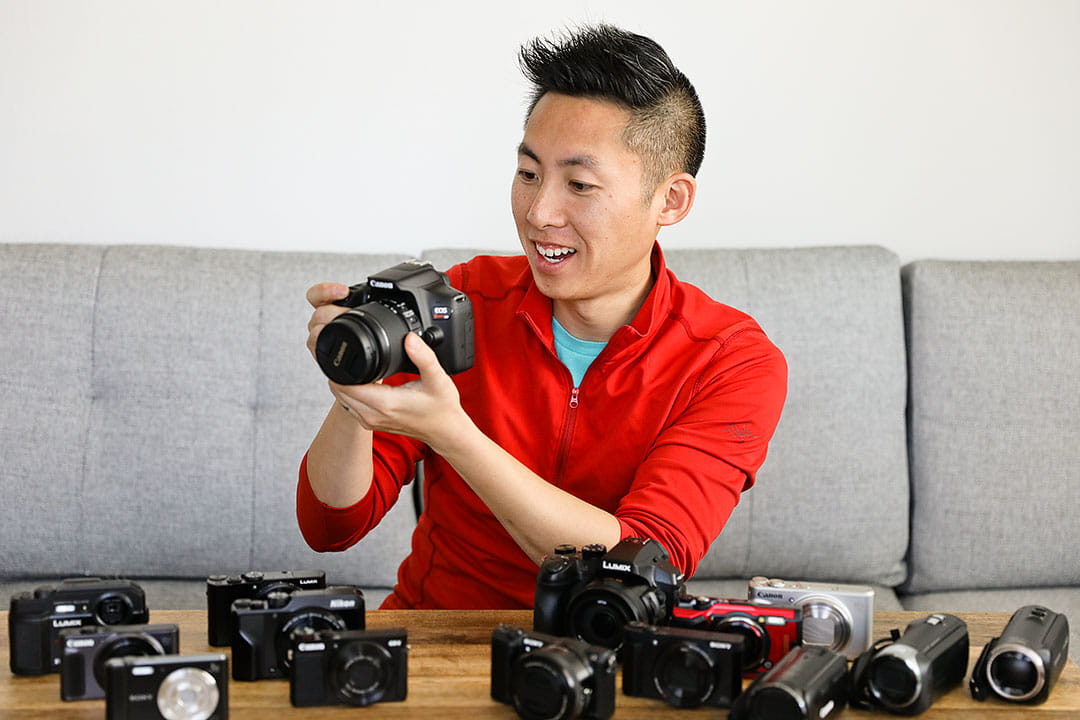
Before learning advanced techniques, build comfort with your gear. When you know where every button and dial lives, you react faster and with confidence when a great moment appears.
Read the Manual (Yes, Really!)
Camera manuals may be dull, but they reveal features you might never discover otherwise—custom functions, menu shortcuts, and smart default settings. Skim for the features you’ll use most and keep the manual handy (or save a PDF on your phone).
Explore Each Button and Dial
Set aside 30–60 minutes with your camera in a quiet spot. Change settings, observe results on the LCD, and note how the exposure or look changes. Build a mental map: which dial changes aperture, which button controls ISO, and which menu sets custom white balance.
Key Camera Settings Every Photographer Should Know
Aperture and Depth of Field
How Aperture Shapes Your Shots
Aperture (f-stop) controls how much light enters the lens and how much of the scene is in focus. Wide apertures (small f-numbers like f/1.8) create soft, dreamy backgrounds—great for portraits. Narrow apertures (large f-numbers like f/11–f/16) keep everything sharp—ideal for landscapes.
Shutter Speed and Motion
Freezing vs. Blurring Action
Shutter speed determines how long the sensor is exposed. Fast shutter speeds freeze motion (1/1000s for birds in flight), while slow shutter speeds blur motion for artistic effect (1/2s to smooth waterfalls). Balancing shutter speed with aperture and ISO is the core of exposure control.
ISO and Light Sensitivity
Avoiding Grainy Images
ISO adjusts the sensor’s sensitivity. In bright sunlight keep ISO low (100–200) to preserve detail and reduce noise. In low light you’ll raise ISO, but be mindful — higher ISO often introduces visible grain. Modern cameras handle high ISO better, but aim to use the lowest ISO that allows the exposure you need.
White Balance for True Colors
White balance ensures whites look white and colors are accurate under different light sources. Use presets (daylight, cloudy, tungsten) or set a custom white balance for consistent, pleasing color. RAW shooters can tweak white balance later, but getting it close in-camera saves time.
Shooting Modes: Manual vs. Automatic
Auto modes are useful when you’re learning, but they limit creativity. Aperture Priority (A/Av) and Shutter Priority (S/Tv) give control over one variable while the camera handles the other. Full Manual (M) gives total control — learn it gradually after experimenting with semi-auto modes.
Practical Ways to Get Comfortable with Settings
Daily Practice Sessions
You don’t need long sessions — 10–20 minutes daily experimenting with one setting will improve your comfort dramatically. Try a week focused on aperture, then a week on shutter speed.
Experiment in Different Lighting Conditions
Shoot at golden hour, in harsh midday light, under overcast skies, and indoors. Each scenario forces different choices and teaches you how your camera responds to changing light.
Create a Personal Cheat Sheet
Make a simple note card with go-to settings for portraits, landscapes, action, and low-light scenes. Put it in your camera bag and refer to it until those choices become muscle memory.
Common Mistakes to Avoid
Over-Reliance on Auto Mode
Auto mode is convenient, but it often sacrifices creative intent. Relying only on auto keeps you from understanding how aperture, shutter, and ISO interact.
Ignoring Custom Settings
Many cameras let you save custom setups. If you frequently shoot a certain style (portraits, sports), save those settings—switching quickly can be the difference between capturing a moment and missing it.
Building Confidence Over Time
Learning Through Trial and Error
Bad photos aren’t failures — they’re lessons. Tweak settings, re-shoot, and compare. Over time you’ll learn limit and sweet spots for your gear.
Analyzing Your Results
Look at the image metadata (EXIF) to see what settings produced a great shot. Keep notes of what worked and why. Patterns will emerge and guide future choices.
Real-Life Examples of Mastering Camera Settings
From Hobbyist to Confident Photographer
Many photographers begin by trusting the camera. After practicing quick mode switches and learning a handful of reliable settings, they start reacting instinctively. That ability to change settings fast is what moves you from shooter to storyteller.
Conclusion
Photography tip 27 is about making your camera feel like an extension of you. Practice deliberately, learn the core settings—aperture, shutter speed, ISO, white balance—and make small routines like a cheat-sheet or saved custom modes. When you know your camera well, your creativity will flow and you’ll capture more of the moments that matter.
FAQs
Q1: How long does it take to get comfortable with camera settings?
It varies — with focused daily practice you could feel noticeably confident in a few weeks. Muscle memory builds faster when you repeat the same scenarios.
Q2: Should beginners start in manual mode?
Not necessarily. Start with aperture or shutter priority and graduate to manual when you understand exposure relationships. Manual is a powerful tool but can slow you down if used before readiness.
Q3: How can I remember all the settings?
Create a cheat sheet and practice regularly. Use custom settings on your camera to save frequently used setups so you don’t have to remember everything instantly.
Q4: What’s the best way to practice indoors?
Use available window light or lamps. Try changing ISO and shutter speeds while keeping aperture constant, then review how noise and motion are affected.
Q5: Is post-processing still important?
Yes—post-processing refines images. But getting exposure and color close in-camera reduces heavy edits and preserves image quality.