
Introduction
Ever tried to capture the perfect shot of a moving subject, only to end up with a blurry mess? That’s where photography tip 28 comes to the rescue—burst mode. Whether you’re shooting your kid’s soccer game, a bird taking flight, or a skateboarder mid-flip, burst mode can be your secret weapon for freezing those split-second moments.
What is Burst Mode?
How Burst Mode Works
Burst mode, sometimes called continuous shooting, is a camera feature that lets you take multiple photos in rapid succession by holding down the shutter button. Instead of snapping one photo and hoping it’s timed perfectly, burst mode gives you a whole series to choose from.
Why It’s a Game-Changer for Action Photography
Timing is everything in action shots. With burst mode, you essentially turn your camera into a high-speed storyteller, capturing every micro-movement so you can select the frame that perfectly tells the story.
When to Use Burst Mode
Sports Photography
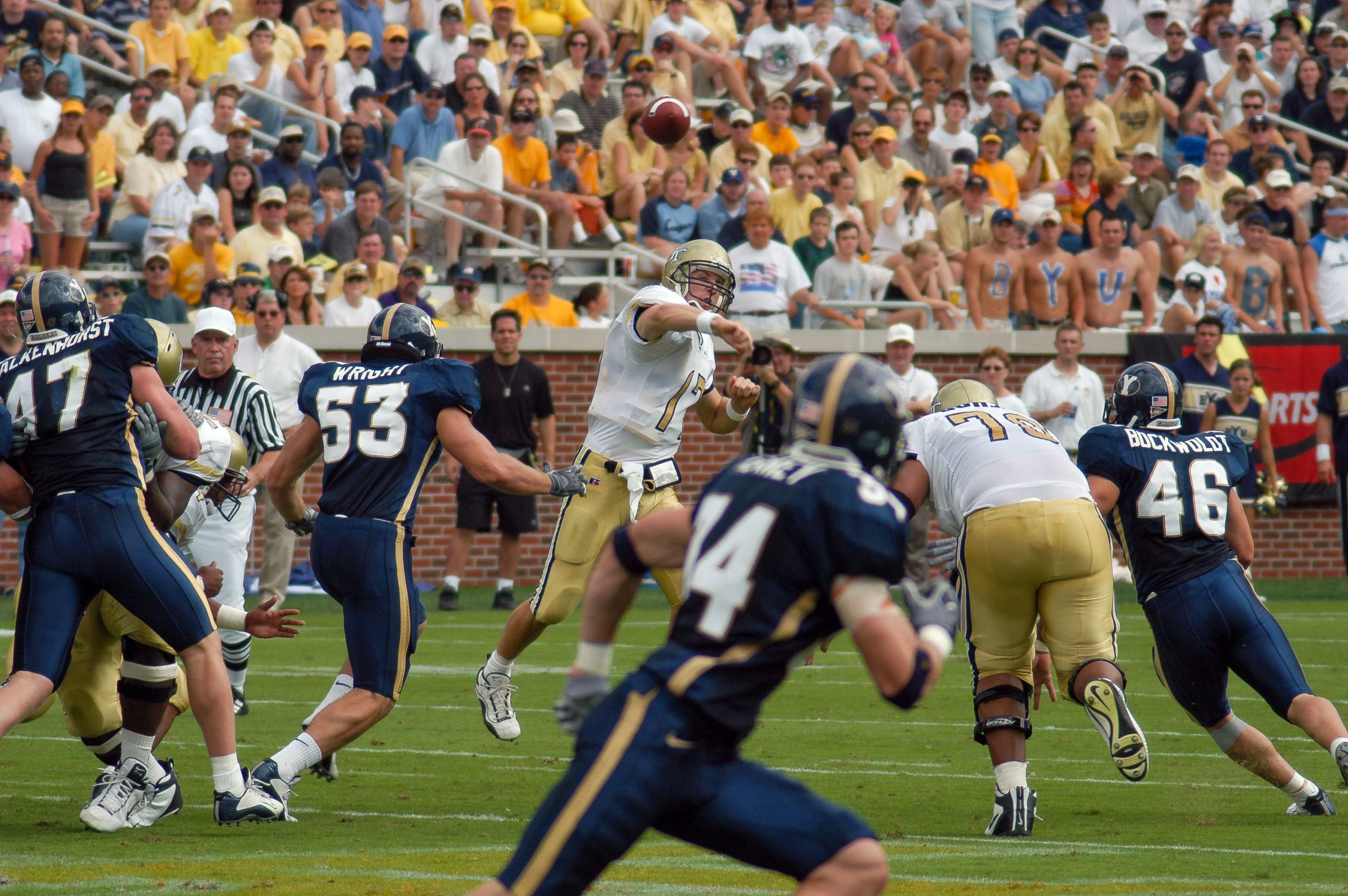
Sports are fast-paced and unpredictable. Burst mode helps you capture that winning goal, the perfect slam dunk, or a player’s emotional reaction without missing a beat.
Wildlife Photography
Animals rarely pose for the camera. Burst mode helps you freeze unpredictable movements—whether it’s a bird spreading its wings or a deer leaping into the woods.
Street Photography
Life in the city moves quickly. Burst mode ensures you catch those raw, unplanned moments that make street photography so compelling.
Events and Candid Moments
Weddings, concerts, or birthday parties—burst mode is ideal for catching candid laughter, dance moves, and emotional expressions.
How to Enable Burst Mode on Different Devices
DSLR Cameras
Most DSLRs have a continuous shooting setting on the mode dial or menu. Select it, adjust your frames per second (FPS), and hold the shutter button to fire off multiple shots.
Mirrorless Cameras
Mirrorless models often have even faster burst speeds. Enable continuous shooting in your settings and experiment with high-speed modes for peak action.
Smartphones
On iPhones, hold down the shutter button or swipe left on it in photo mode. On Android, press and hold the shutter or check your camera app settings for burst options.
Tips for Getting the Best Results with Burst Mode
Focus Settings
Use continuous autofocus (AI Servo/AF-C) to keep moving subjects sharp throughout your burst sequence.
Shutter Speed Considerations
Faster shutter speeds reduce motion blur. Aim for 1/1000s or higher for fast sports or wildlife.
Lighting and Exposure
Good lighting is essential. Use a wider aperture or increase ISO to keep your shots bright without slowing the shutter.
Battery and Storage Management
Burst mode eats up battery life and memory cards quickly. Carry spares and use high-speed cards to avoid buffering delays.
Common Mistakes to Avoid
Overshooting and Storage Issues
Don’t hold the shutter endlessly. You’ll end up with thousands of nearly identical shots that are a pain to sort through.
Motion Blur Problems
If your shutter speed is too slow, your entire burst could be unusable. Always double-check your exposure settings before shooting.
Editing and Selecting the Best Shots
Workflow for Sorting Burst Shots
Import your shots into editing software and use comparison view to quickly eliminate duplicates and keep the best frames.
Post-Processing Tips
Enhance sharpness, adjust exposure, and crop for better composition. Don’t over-edit—action shots thrive on authenticity.
Burst Mode vs. Single Shot Mode
Pros and Cons Comparison
Burst mode offers more chances to nail the shot but takes up more storage and can overwhelm your editing process. Single shot mode is cleaner but riskier for fast action.
Pro Photographer Insights
Many pros use burst mode strategically—short bursts at key moments rather than holding the shutter non-stop. It’s all about timing and anticipation.
Final Thoughts
Photography tip 28 is all about increasing your chances of capturing the perfect action shot. Master burst mode, and you’ll turn fleeting moments into timeless images.
FAQs
- Does burst mode reduce image quality? No, most cameras keep the same quality, but some may switch to JPEG for speed.
- Is burst mode good for low light? Not always—low light can force slower shutter speeds, leading to blur.
- How many shots per second is good? 5–10 FPS works for most action; pro sports shooters may use 20+ FPS.
- Can I use burst mode for portraits? Yes, it’s great for capturing subtle changes in expressions.
- Do all smartphones have burst mode? Most modern ones do, but the method to activate it varies by brand.
For more expert photography tips and gear guides, visit CameraTale.com — your go-to hub for mastering the art of photography.
Discover in-depth tutorials, tips, and gear reviews on CameraTale.com — your one-stop photography learning hub.
Learn photography the fun way with step-by-step guides that turn beginners into pros.